


5 IT Security Checks Every Manufacturing Business | Accurate Network
Home > Blog Details
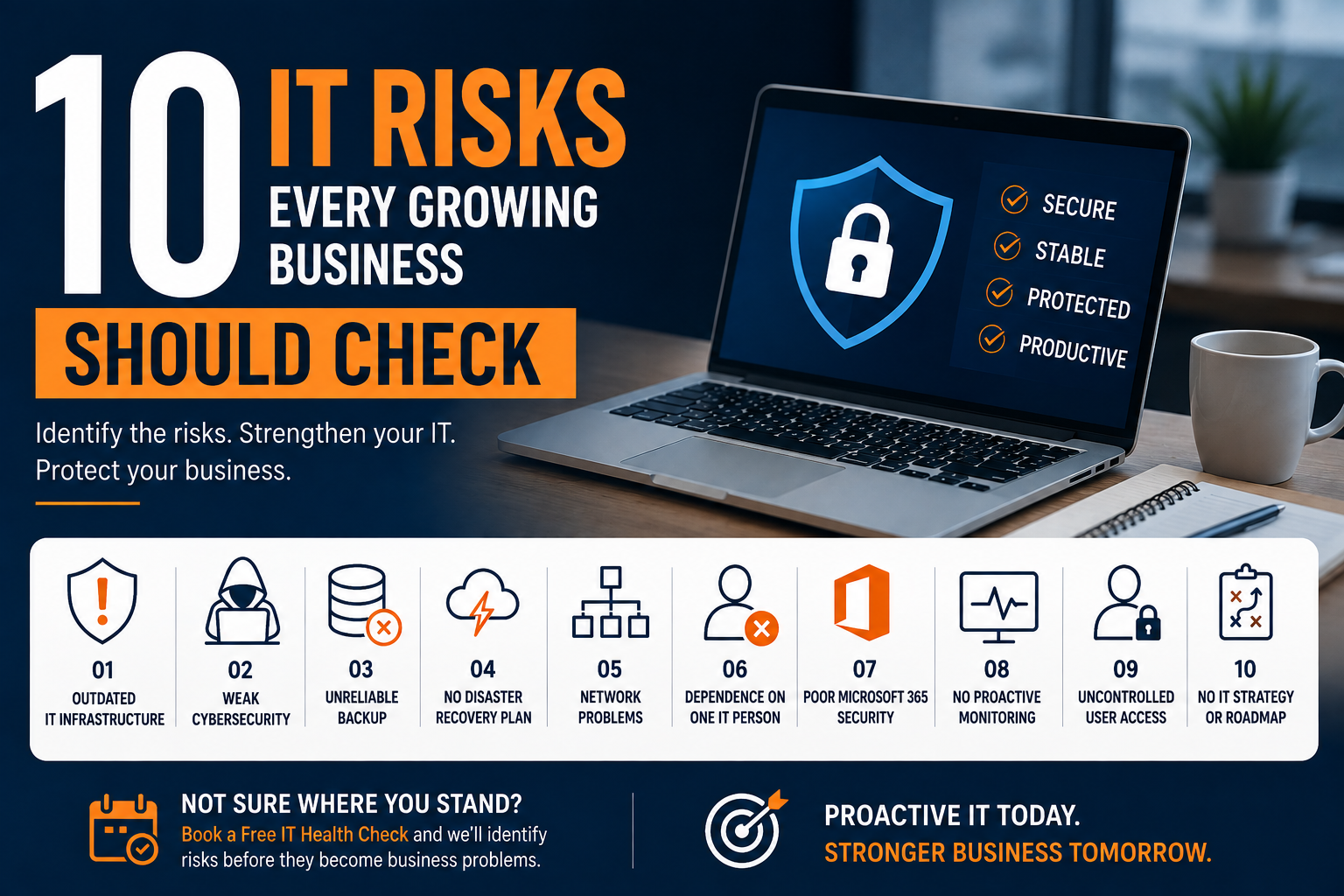
10 IT Risks Every Growing Business Should Check | Accurate Network
Growing a business means adding employees, devices, applications, data and technology. But as your business grows, your IT environment can become increasingly complex—and that can create risks that are easy to overlook.
A network problem can stop operations. A cybersecurity incident can expose sensitive business data. A failed backup can make recovery impossible. And depending entirely on one IT person can leave your business vulnerable when that person is unavailable.
For businesses with 25–300 users, IT should not simply work when something goes wrong. It should be proactively managed, secured and continuously improved.
Here are 10 IT risks every growing business should regularly check.
1. Outdated IT Infrastructure
Old servers, computers, network equipment and unsupported software can become a serious business risk.
Older systems may:
- Become difficult to maintain
- Have limited security support
- Perform poorly
- Increase downtime
- Become incompatible with newer applications
- Be more expensive to repair
What to do
Maintain an updated inventory of your hardware and software. Identify systems approaching end-of-life and create a planned replacement strategy instead of waiting for equipment to fail.
2. Weak Cybersecurity
Cybersecurity is no longer only a concern for large enterprises.
Growing businesses are increasingly targeted because they often have valuable data but may not have enterprise-level security controls.
Common weaknesses include:
- Weak passwords
- Poor access controls
- Unprotected endpoints
- Outdated systems
- Inadequate firewall configuration
- Phishing and email security risks
- Lack of security monitoring
What to do
Use a layered cybersecurity approach that includes firewall protection, endpoint security, access controls, security monitoring, employee awareness and regular security reviews.
3. Unreliable or Untested Backups
Having a backup does not automatically mean your business is protected.
The important question is:
Can you actually recover your critical data when you need it?
Backup failures can happen because of:
- Incorrect configuration
- Storage problems
- Failed backup jobs
- Insufficient retention
- Ransomware
- Lack of monitoring
- Backups that have never been tested
What to do
Regularly monitor and test backups. Make sure critical systems and data are covered and that your recovery process is documented.
4. No Disaster Recovery Plan
Imagine your main server stops working tomorrow.
How quickly could your business recover?
If nobody knows the answer, your organization may have a serious business continuity risk.
A disaster could result from:
- Hardware failure
- Ransomware
- Fire
- Power problems
- Accidental deletion
- Network failure
- Human error
What to do
Identify your critical systems, define recovery priorities and establish a practical Backup & Disaster Recovery strategy.
Your goal should not simply be to have a backup.
Your goal should be to recover the business.
5. Network Problems and Poor Infrastructure Management
Your employees depend on the network for almost everything they do.
Slow Wi-Fi, unstable internet, failing switches, poor configuration or network bottlenecks can quickly reduce productivity.
Common warning signs include:
- Frequent connectivity problems
- Slow applications
- Wi-Fi dead zones
- VPN issues
- Unexplained network outages
- Poor network documentation
What to do
Regularly review your network infrastructure, configuration, performance and capacity.
Proactive Network Management can identify problems before they become major disruptions.
6. Dependence on One IT Person
One of the most overlooked risks in a growing business is IT dependency.
If only one person knows:
- Server passwords
- Network configuration
- Firewall settings
- Backup procedures
- Microsoft 365 administration
- Critical applications
- Vendor contacts
then your business has a significant knowledge and continuity risk.
What happens if that person leaves, becomes unavailable or simply cannot solve a critical problem?
What to do
Document your IT environment, maintain appropriate access controls and establish a support structure that does not depend entirely on one individual.
A reliable IT partner can provide additional expertise, escalation support and continuity.
7. Poor Microsoft 365 Security and Management
Microsoft 365 has become essential for many businesses, but simply having Microsoft 365 does not mean your environment is secure.
Potential risks include:
- Weak account security
- Excessive administrator privileges
- Poor access management
- Inadequate email protection
- Unmanaged user accounts
- Poor license management
- Lack of security policies
What to do
Regularly review Microsoft 365 users, permissions, security settings, administrator accounts and authentication controls.
Your Microsoft 365 environment should be managed as part of your overall IT and cybersecurity strategy.
8. No Proactive IT Monitoring
Many businesses still operate with a simple model:
Something breaks → employee reports it → IT fixes it.
That’s reactive IT support.
The problem is that by the time an employee reports an issue, productivity may already be affected.
What to do
Use proactive monitoring to identify issues such as:
Hardware problems
Storage capacity
System performance
Service failures
Network issues
Security events
Backup failures
The objective is simple:
Identify problems before they become business disruptions.
9. Uncontrolled User Access
Employees should have access to the information and systems they need—but not necessarily everything.
Poor access management can increase the risk of:
- Data exposure
- Unauthorized access
- Accidental changes
- Security incidents
- Former employees retaining access
What to do
Regularly review:
- User accounts
- Administrator privileges
- Shared accounts
- Former employee access
- Application permissions
- Microsoft 365 access
- Remote access
Use the principle of least privilege wherever practical.
10. No IT Strategy or Technology Roadmap
Perhaps the biggest IT risk is managing technology only when something goes wrong.
Without an IT strategy, businesses often make decisions reactively:
Server fails → buy a server.
Computer fails → replace the computer.
Cyberattack happens → improve security.
Backup fails → start taking backups.
This approach can become expensive and disruptive.
What to do
Create a practical IT roadmap covering:
- Infrastructure
- Cybersecurity
- Backup & Disaster Recovery
- Microsoft 365
- Network
- Endpoints
- IT policies
- Technology lifecycle
- Business continuity
- Future growth
Your IT should support your business strategy—not simply react to problems.